
 GLOBAL SECURITY GROUP INTL
Office Access Control: What Facility Managers Need to Know
An office access control system uses electronic credentials, controllers, and door hardware to decide who gets through which door and when, replacing keys with a…
An office access control system uses electronic credentials, controllers, and door hardware to decide who gets through which door and when, replacing keys with a record you can audit. For most offices, the right approach is a cloud-capable or hybrid system built on edge processing, so doors keep working when the internet doesn’t, layered on a clear zone map. That combination gives you centralized control, an audit trail for every entry, and a way to onboard visitors and staff without handing out physical keys tied to HR systems and logged for review.
TL;DR:
- Edge processing at controllers ensures doors stay operational during internet outages, especially for multi-site enterprises or high-security zones.
- Choosing credentials should be based on risk levels per zone, with biometric for sensitive areas, mobile for general access, and PINs as backups.
- Proper zone mapping and staged deployment prevent over-investment in hardware and ensure compliance with fire and safety codes.
- HR integration and automated credential deactivation are critical for secure onboarding and offboarding, reducing the risk of unauthorized access.
- Prioritizing risk-based zone planning over credential technology and ensuring reliable offline and emergency functions are key to effective system design.
Table of Contents
- What Is Office Access Control and How Does It Work?
- Wired, Wireless, Cloud, or On-Prem: Which Architecture Fits?
- Which Credential Type Fits Each Office Zone?
- What ROI Can Offices Expect from Access Control?
- How Do You Choose the Right Access Control Vendor?
- How Do You Deploy Office Access Control Without Costly Mistakes?
- Global Security’s Approach to Access Control Delivery
- How Do You Assess Risk to Set the Right Access Level Per Zone?
- How Should You Handle Onboarding and Offboarding Access Rights?
- How Do You Train Employees on Access Control Policy?
- What Compliance Rules Apply to Office Access Control?
- What Does Office Access Control Cost Over Its Lifetime?
- How Should Access Control Integrate with Fire and Emergency Systems?
- What the Industry Gets Wrong About Access Control Priorities
- Get Access Control Designed and Managed by Global Security
- Sources
What Is Office Access Control and How Does It Work?
Office access control isn’t one device. It’s a chain of hardware and software that has to agree, in milliseconds, whether a person gets through a door. Understanding each link matters because a weak one, an underpowered controller, a reader with no offline mode, undermines the whole system regardless of how good the software looks in a demo.
The physical chain starts with the reader, which captures a card, mobile signal, or biometric scan, and passes it to the controller, the local brain that checks the credential against stored permissions and issues a decision. The electric lock or strike carries out that decision. A request-to-exit (REX) sensor lets people leave freely without triggering a false alarm, and a door position sensor reports whether the door is actually open, closed, or propped, which matters more than most people assume once you’re investigating an incident. Behind all of it sits a power supply with battery backup, because a locked door that fails during an outage is a life-safety problem, not just an inconvenience.
On the software side, the features that actually get used daily include:
- Access groups and time schedules that let a receptionist unlock the lobby at 7 a.m. and restrict server room access to two people, permanently.
- Visitor management for pre-registering guests and issuing time-limited credentials that expire automatically.
- Audit logs and reporting that turn every badge swipe into a searchable record.
- Integration hooks into HR platforms, Active Directory or SCIM, video systems, and building management software, so a termination in the HR system revokes badge access the same day.
That last point is where a lot of platforms fall short. Modern access control platforms increasingly tie readers and controllers into broader identity systems rather than functioning as standalone hardware, which is the direction offices should be planning toward now, not retrofitting later.
Wired, Wireless, Cloud, or On-Prem: Which Architecture Fits?
The architecture decision comes down to two separate questions: how doors talk to locks, and where the decision-making software lives. Get both right and the system scales with you. Get either wrong and you’re re-cabling walls or re-platforming software within three years.
- Wired doors cost more to install, especially in existing buildings with finished walls, but they deliver the most reliable power and communication for high-traffic entries like main lobbies and server rooms.
- Wireless locks cut installation cost dramatically and suit interior offices, conference rooms, and low-traffic doors where running cable isn’t practical, though battery management becomes an ongoing maintenance task.
- Cloud-managed platforms let a facility manager add users, pull reports, and manage multiple sites from a browser, which is close to mandatory for any business with more than one location.
- On-premise systems keep all data and processing inside the building, a preference for organizations with strict data residency needs, but remote management becomes harder.
- Hybrid architectures combine cloud administration with local, edge-level decisioning at each controller, which is the model most offices should target.
Edge processing is the detail that separates a system that survives a bad Tuesday from one that doesn’t. Edge computing at the controller level keeps door decisions running locally during an internet outage, removing the single point of failure that pure cloud-only systems create. A small single-site office can often get by on a lighter cloud platform; a multi-site enterprise or coworking operator needs hybrid architecture with strong API access, full stop.
Which Credential Type Fits Each Office Zone?
Choosing a credential is really a risk decision dressed up as a technology decision. The right credential for your reception desk is often the wrong one for your server room, and treating every door the same is how budgets get wasted on hardware that doesn’t match the actual threat.
- RFID cards or fobs are cheap, familiar, and fast to issue, but they’re shareable, and a lost card is a security gap until someone reports it.
- Mobile credentials (BLE or NFC) tie access to a phone people already guard closely, cutting shareability risk, though they depend on battery life and app adoption.
- PIN codes work as a low-cost backup layer but shouldn’t stand alone anywhere sensitive, since codes get shared over time.
- Biometric credentials (fingerprint or face) offer the strongest one-to-one identity assurance and suit server rooms, finance offices, and executive suites, with hygiene and privacy trade-offs worth discussing with employees upfront.
Reception and open work floors generally do fine on cards or mobile credentials. Private offices and cabins might add a PIN as a second factor. Server rooms and cash-handling areas justify biometric or multi-factor access. Zone mapping, grading each space by sensitivity before choosing hardware, is the design step that keeps this whole exercise from turning into guesswork. Visitor credentials should always be time-limited and tied to host approval, expiring automatically at the end of a scheduled visit rather than requiring someone to remember to revoke them.
What ROI Can Offices Expect from Access Control?
The security case is straightforward: a badge system creates a permanent, searchable record of who entered where and when, which turns “we think someone accessed that room” into a fact you can check in seconds during an investigation. That audit trail alone changes how HR and legal teams handle disputes and incidents.
The operational case is less obvious but often the bigger win. Rekeying a building after a lost master key can shut down a floor for a day and cost thousands in locksmith labor. A badge-based system solves that problem by deactivating one credential instead of replacing every cylinder in the building. HR integration means a new hire’s badge activates the moment their start date hits the system, and it deactivates the moment someone is offboarded, closing the gap where former employees retain physical access for weeks.
Cost bands vary by scale, but facility managers typically budget in three buckets: per-door hardware (readers, controllers, locks), a software or platform subscription, and installation labor, with ongoing maintenance layered on top. A zone-first design that matches hardware spend to actual risk, rather than putting biometric readers on every interior door, is what keeps that budget from ballooning.
Pro Tip: Ask your integrator to price the system per zone tier rather than per door. It forces an honest conversation about where the money should actually go.
How Do You Choose the Right Access Control Vendor?
Comparing platforms gets easier once you know which questions actually separate a durable system from a good sales pitch. Most vendor brochures look identical until you ask about behavior during a power outage or a data export request.
- Scalability: Can the platform add a second building or a hundred more users without a forklift upgrade or a new licensing tier that wasn’t disclosed upfront?
- Integrations and APIs: Does it offer real API access into HR systems, Active Directory, or SCIM, and can it correlate badge events with video timestamps?
- Edge and offline operation: What exactly happens at the door when the internet drops? Does the controller keep making access decisions locally, or does the door fail open, fail locked, or stop working entirely?
- Support SLAs: What’s the guaranteed response time for a failed controller or a locked-out office on a Monday morning?
- Onboarding and training: Who trains your reception staff and facilities team, and is that training a one-time session or an ongoing resource?
- Data retention and privacy: How long are logs kept, who can access them, and where is that data actually stored?
- Warranty and firmware updates: Are firmware updates included, and for how many years, before hardware is considered end-of-life?
Ask each vendor directly: what happens to door access during an internet outage, does the API allow a two-way HR sync, and how does the system behave on battery backup after four hours? Enterprise platforms built for multi-site scaling typically answer these without hesitation because unified control and audit trails are the entire point of the product.
Red flags are consistent across the industry: opaque or bundled pricing that hides per-door costs, proprietary hardware that locks you into one vendor for every future expansion, no documented offline door behavior, and audit logs that can’t be exported or searched cleanly. Any of those should end the conversation, not slow it down.
How Do You Deploy Office Access Control Without Costly Mistakes?
A rushed rollout is where most access control budgets go sideways, usually because hardware gets ordered before anyone walks the building with a zone map in hand. A sequenced deployment avoids the two most expensive mistakes: over-buying hardware for low-risk doors and under-planning for life-safety compliance.
- Walk and map every zone by sensitivity before specifying a single piece of hardware.
- Choose a credential strategy per zone, matching card, mobile, PIN, or biometric to actual risk rather than convenience.
- Specify hardware door by door, including power draw, lock type, and REX requirements.
- Plan power backup and egress wiring with a fire and life-safety consultant before installation, not after.
- Integrate with HR and video systems during setup, not as a phase-two afterthought.
- Test tailgating scenarios and access flows with real staff before calling the project done.
- Finalize log retention and backup policies in writing, including who can pull reports and how far back.
Commissioning should include a forced-door alarm test, a battery-backup runtime test, and a full walkthrough of every access group against the original zone map. Layered anti-tailgating measures, combining staff training, software alarms, and physical barriers like turnstiles where risk justifies the cost, catch the gap that a single credential check never will.
Global Security’s Approach to Access Control Delivery
Gsgicorp brings law enforcement and military-trained personnel into the same conversation as electronic access control, because a badge reader and a guard checking credentials in the lobby solve overlapping but different problems. Our guard services and Virtual Guard remote monitoring pair with CCTV integration to give facility managers a managed layer on top of the hardware. We also run training programs covering security licensing and operational protocols, so the people managing your system understand it as well as the vendor who installed it.
How Do You Assess Risk to Set the Right Access Level Per Zone?
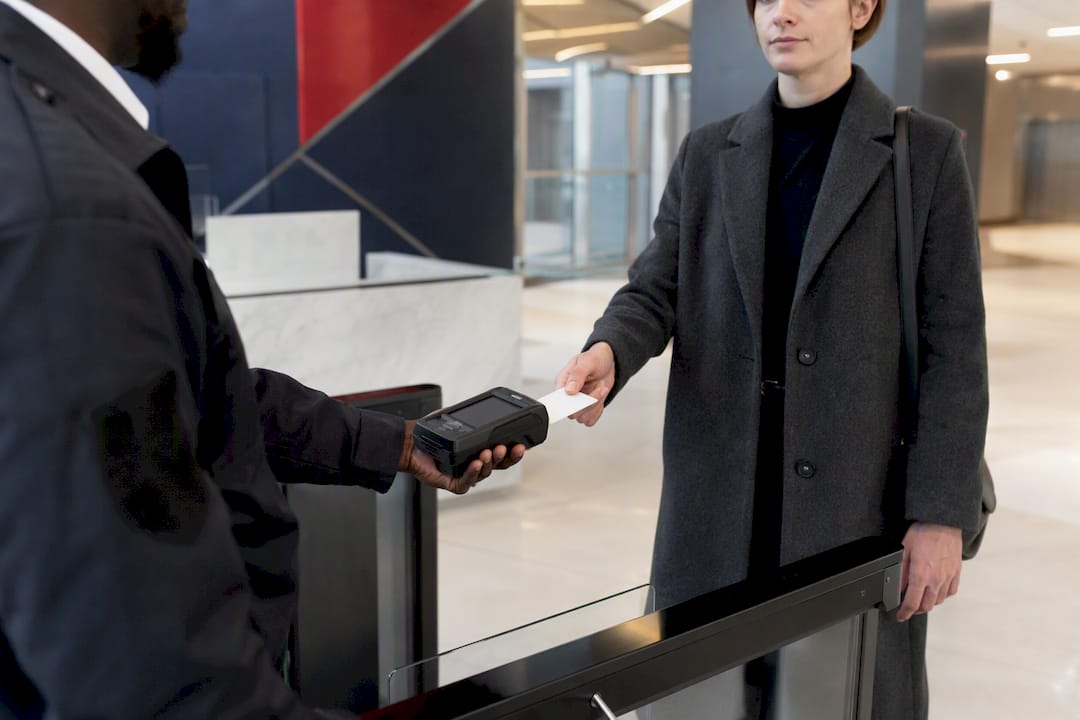
Every zone map starts with a question: what’s the actual cost if the wrong person gets through this door? That question, asked room by room, is the entire methodology. It’s not complicated, but skipping it is how offices end up with expensive biometric readers on a supply closet and a card swipe on the server room.
Start by inventorying what each space holds: people, data, cash, equipment, or nothing of consequence. A conference room used by outside vendors carries different risk than a finance office with signed checks in a drawer. Rate each zone on likely impact if compromised, low, moderate, or severe, and on likelihood of an actual attempt, which is usually a function of foot traffic and how many people already have legitimate reason to be nearby.
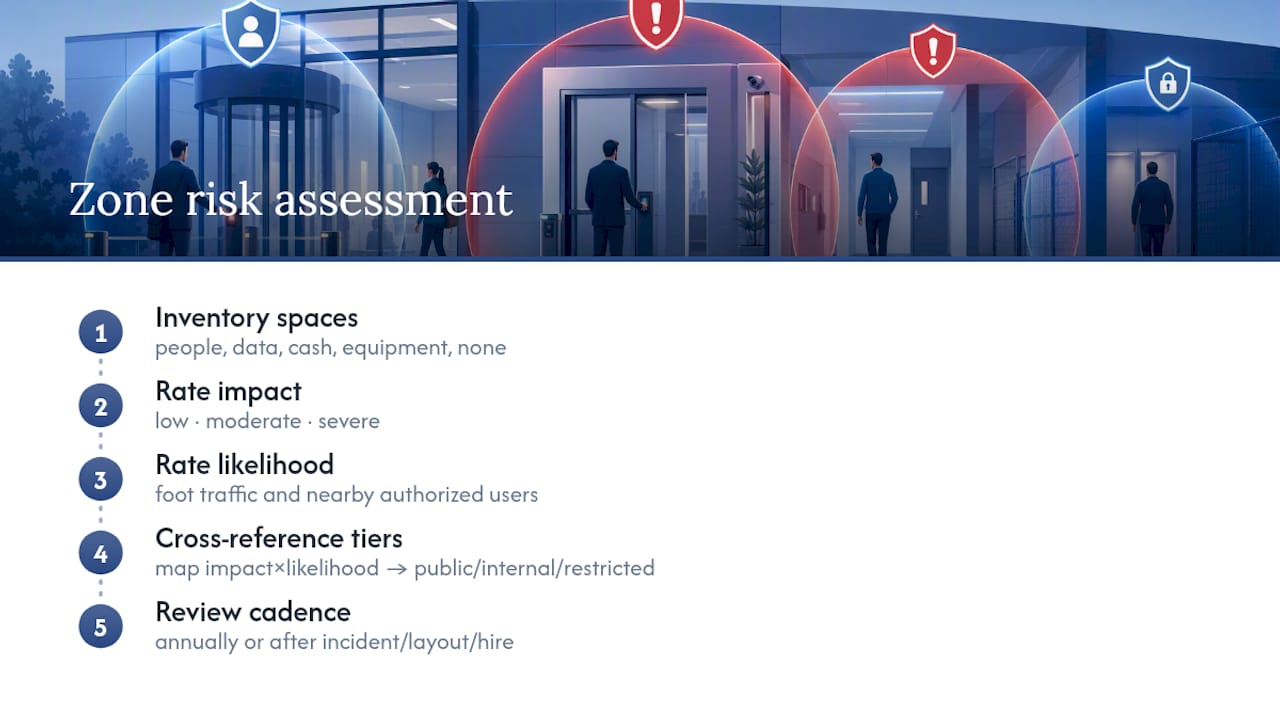
Cross-reference those two ratings and you get a tier: public zones like lobbies need basic credentialing and visitor logging; internal zones like open work floors need standard card or mobile access; restricted zones like IT rooms, finance offices, and executive suites need multi-factor credentials and tighter audit review.
This is also where attribute-based access control earns its place over simple role-based rules. A finance director might need server room access only during business hours on weekdays, not around the clock just because their title says “director.” ABAC lets you encode that nuance; a flat role assignment can’t. Revisit the tiering annually, or immediately after any incident, layout change, or new hire in a sensitive role.
How Should You Handle Onboarding and Offboarding Access Rights?
Credential lifecycle management is the part of access control that quietly fails most often, not because the technology breaks, but because the process around it does. A badge system is only as secure as the discipline behind issuing and revoking credentials.
Enrollment should happen the same day a new hire’s start date is confirmed in HR, not their first morning on-site scrambling for a temporary pass. Tie badge activation directly to the HR system’s start date field so IT and facilities aren’t relying on a separate email request that can get lost in an inbox. Assign access based on role and zone tier from day one rather than granting broad access “to be safe” and narrowing it later, since broad-by-default is how permission creep starts.
De-provisioning deserves at least as much rigor as enrollment, arguably more. The single riskiest gap in most office security programs is a terminated employee whose badge still works. Direct integration between HR platforms and the access control system, so a termination event automatically revokes credentials, closes that gap without relying on someone remembering to make a phone call. For contractors and temporary staff, set auto-expiring credentials at the point of enrollment rather than trusting anyone to manually deactivate them on the last day.
Run a quarterly audit comparing active badges against the current HR roster. It’s a simple check, and it consistently turns up at least a few credentials that should have been shut off months earlier.
How Do You Train Employees on Access Control Policy?
The best access control system in the world fails the moment an employee holds the door for a stranger because it felt rude not to. Training closes the gap that no piece of hardware can close on its own.
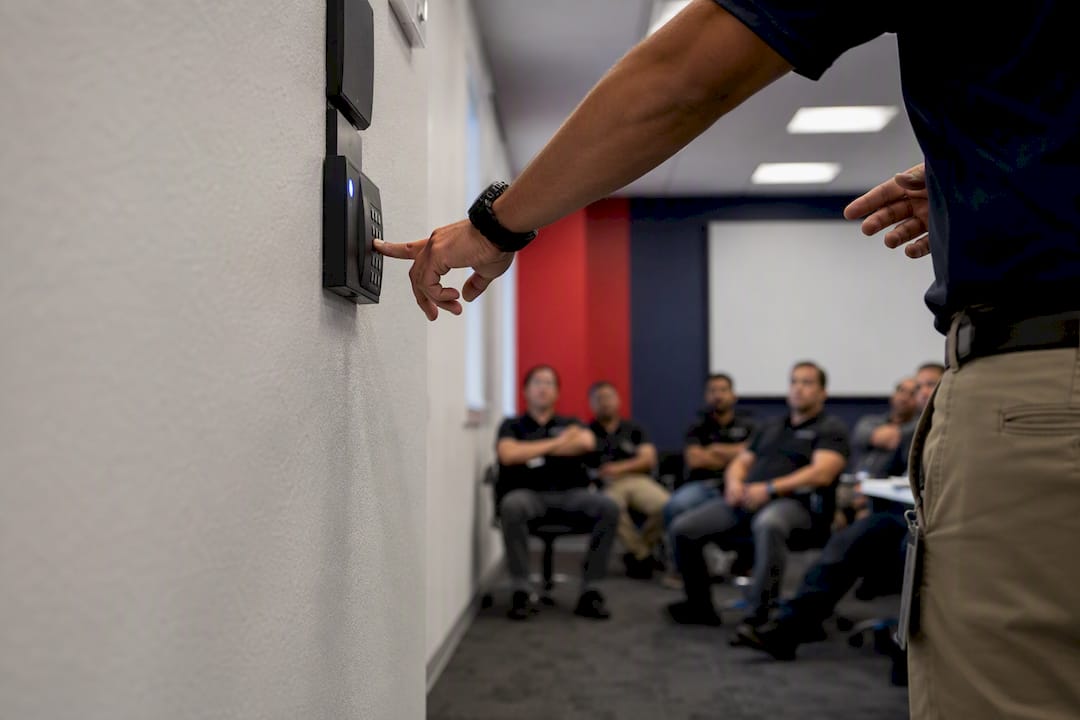
New hire orientation should cover the basics plainly: what your badge does, which zones you can and can’t enter, and why. Employees who understand that a server room restriction protects payroll data, not just abstract “security,” are far less likely to treat it as bureaucratic friction. Cover tailgating directly and by name. Most employees have never been told explicitly that holding a door for someone without a visible badge is a policy violation, not a courtesy, until someone tells them.
Visitor and contractor protocols need their own quick briefing: who is responsible for escorting guests, how visitor badges work, and what to do if a visitor wanders into a restricted zone unescorted. Reporting matters too. Staff need to know exactly who to call if a badge is lost, a door is propped open, or something looks wrong, and that number should be posted somewhere more visible than a page 40 of an employee handbook.
Refresh this training annually and after any incident. A five-minute reminder email after a real tailgating attempt does more to change behavior than a policy document nobody reads twice.
What Compliance Rules Apply to Office Access Control?
Compliance requirements for access control split into two categories: data privacy law and physical safety code, and offices routinely satisfy one while overlooking the other.
On the data side, any system storing biometric templates, badge logs tied to identifiable employees, or visitor personal information intersects with privacy regulations like GDPR for organizations handling EU residents’ data, which requires clear retention limits, a lawful basis for storing biometric data specifically, and the ability to honor deletion requests. Organizations in regulated sectors handling protected health information alongside office access, such as healthcare administrative offices, need to confirm their access logs and video correlation don’t inadvertently create HIPAA-covered records without the right safeguards.
On the physical side, local fire codes govern egress requirements strictly: doors on designated fire exit routes generally cannot lock in a way that traps occupants during an emergency, which is why fail-safe wiring, locks that release on power loss or fire alarm signal, is standard on egress doors, while fail-secure wiring, locks that stay locked on power loss, is reserved for doors where security outweighs egress concerns. Getting this wrong isn’t a minor code violation; it’s a life-safety failure that inspectors will flag immediately.
Document your retention policy, your legal basis for biometric collection if you use it, and your fire marshal sign-off on door hardware before commissioning, not after. Audit logs should be reviewed on a set schedule, not just pulled reactively after an incident, since that’s the difference between a compliance program and a paper trail nobody actually checks.
What Does Office Access Control Cost Over Its Lifetime?
The sticker price on a proposal rarely reflects what a system actually costs over five years. Total cost of ownership breaks into four buckets, and vendors have every incentive to keep your attention on only the first one.
Installation covers hardware (readers, controllers, locks, wiring) and labor, and it’s the most visible number on any quote, front-loaded and easy to compare across bids. Licensing or software subscription fees run monthly or annually per door or per user, and they compound quietly over a contract term in a way that a one-time hardware cost never does. Maintenance includes firmware updates, battery replacement on wireless locks, and technician visits for hardware failures, expenses that rarely show up on the initial proposal but show up reliably on year two’s invoice. Upgrades cover the eventual hardware refresh, five to ten years out for most controllers, plus any migration cost if you outgrow your current platform’s scalability.
The zone-first approach pays off directly here: a system sized to actual risk, rather than maximum hardware on every door, keeps both the installation number and the recurring licensing number proportional to what you actually need protected. Ask any vendor for a five-year total, not a first-year quote, before comparing platforms. The cheaper upfront bid is sometimes the more expensive system by year three.
How Should Access Control Integrate with Fire and Emergency Systems?
Access control and fire safety systems have to talk to each other, and the integration has to be planned before installation, not patched in afterward when an inspector flags a gap.
The core requirement is straightforward: on a verified fire alarm signal, doors on designated egress routes must unlock automatically, regardless of what the access control software says about who’s authorized. This is where fail-safe locking hardware matters, wired so that a loss of power or a fire alarm trigger releases the lock rather than reinforcing it. Mixing fail-safe and fail-secure hardware incorrectly across a building is one of the more common and dangerous installation errors, and it’s why fire marshal sign-off belongs in the commissioning checklist, not treated as a formality.
Lockdown protocols run the opposite direction. In an active threat scenario, facility teams need the ability to instantly restrict access, locking down specific zones or the entire building from a single control point, while still preserving fire egress paths for anyone inside. That dual requirement, lock down against intruders while never blocking emergency exit, is a genuinely hard engineering problem, and it’s worth testing explicitly during commissioning rather than assuming the software handles it correctly by default.
Integration with the fire alarm control panel should be tested as its own commissioning step: trigger a simulated alarm and confirm every affected door releases within the expected window. Document that test result. If an inspector or insurer ever asks whether the system was verified, “we tested it during commissioning” is a very different answer than “the vendor said it would work.”
What the Industry Gets Wrong About Access Control Priorities
Most advice on this topic leads with credentials, card versus mobile versus biometric, as if the badge technology is the decision that matters most. It isn’t. The zone map is the decision that matters most, and the credential choice is just the output of that earlier work done well or done carelessly.
I’d also push back on the instinct to treat cloud platforms as an automatic upgrade over on-premise systems. Cloud administration is genuinely valuable for multi-site management and remote reporting, but a cloud-only architecture with no edge processing at the controller is a step backward from where the industry was a decade ago with dumb, always-on hardwired locks. The reliability argument for edge processing isn’t a nice-to-have feature buried in a spec sheet. It’s the difference between a door that works during an outage and one that doesn’t.
The other underrated priority is the HR integration, not because it’s technically sophisticated, but because it’s the control that actually gets neglected. Facility teams will spend weeks debating biometric versus card readers and then leave a manual, email-based offboarding process in place that lets ex-employee badges stay active for a month. Fix the boring lifecycle problem first. The exciting hardware decisions matter less than most vendors want you to believe.
— Alston
Get Access Control Designed and Managed by Global Security
Gsgicorp designs access control around your actual risk, not a generic hardware package, because our teams come from law enforcement and military backgrounds that have assessed real threats in real buildings. We handle site surveys and zone mapping, hardware specification, installation coordination, and ongoing management, backed by Virtual Guard remote monitoring and CCTV integration for the moments a badge reader alone can’t cover.

Pair that electronic layer with our guard services for lobby coverage and visitor verification, or executive protection if your zone assessment flags leadership as a higher-risk tier. If your team is also handling IT identity sync as part of this rollout, a partner like ArchiTECH MSP can support the Active Directory and HR integration work alongside your access control deployment. Request a site survey through Gsgicorp and get a zone-based access control plan built around what your office actually needs protected.
Sources
For readers who want to go deeper on the technical decisions covered here, ASIS International’s analysis of edge computing breaks down offline door reliability. Okta’s comparison of RBAC and ABAC explains when contextual access rules outperform simple role assignments. StudioMatrx’s zoning guide walks through credential mapping by sensitivity tier, and Siemens’ SiPass documentation shows enterprise-grade integration patterns for multi-site deployments.
- Role-based access control (RBAC) vs attribute-based access control (ABAC) | Okta
- Edge computing unlocks innovations in access control | ASIS International
- Office access control guide — zone mapping and credential recommendations | StudioMatrx
- SiPass integrated access control | Siemens
Recommended
- Articles – Global Security
- Security Insights Archives – Global Security
- Why Modern Businesses Need a Smarter, More Customized Security Strategy – Global Security
Related articles
Guard Services
Uniformed armed and unarmed guards for posts, events and mobile response.
DISCOVER MORERoving Patrol
Marked vehicle patrols that check, document and deter across your property.
DISCOVER MOREExecutive Protection
Low-profile protection for executives, families and high-risk visits.
DISCOVER MORENEED GUARDS ON SITE?
Speak with our dispatch team about coverage in Fort Myers, Cape Coral, Naples and across Southwest Florida.