
Choose a keypad lock if you want low cost, no accounts and minimal network exposure. Choose a smart lock if you need remote guest access, activity logs or smart-home automation. Either way, keep a mechanical key as your fallback and put the door hardware first. The sections below explain why and end with a checklist you can use at the store.
TL;DR:
- Bluetooth gateway locks need a nearby, online phone for remote commands; models with Wi Fi or a hub allow control anywhere but drain batteries faster.
- A USENIX analysis found plaintext transmissions, replay attacks, and weakly authenticated APIs in many smart locks, potentially letting revoked users regain access or forge logs.
- For rentals with cleaners or contractors, use scheduled digital keys; stable households can assign separate PINs and delete one code without changing the others.
- Measure the door’s bore, backset, and thickness, test that the bolt moves freely, and confirm battery alerts plus a working mechanical key fallback.
Table of Contents
- What is a keypad lock and how does it work?
- What is a smart lock and how do the common designs differ?
- How do keypad and smart locks compare side by side?
- What security and privacy steps should you take?
- When does a keypad lock make more sense, and when does a smart lock?
- How do you choose the right lock?
- How do you install, maintain and avoid lockouts?
- What do security professionals prioritize in a lock choice?
- Need help protecting more than the front door?
- FAQ
- Sources
What is a keypad lock and how does it work?
A keypad lock, also called an electronic lock, is a motorized deadbolt that you open with a PIN entered on the door. A mechanical key cylinder usually sits underneath as a backup. The lock stores its codes on the device itself, so it runs without Wi‑Fi, an app or a cloud account. That local-only design is the main reason many homeowners prefer it. Retail buying guides describe keypad electronic locks as typically costing less and needing less configuration than smart locks.
Here is what you can expect from a typical model:
- Multiple user PINs: Give each family member, cleaner or dog walker their own code, so you can delete one without changing the rest.
- Temporary numeric codes: Some models let you set a code that you remove by hand after a visit.
- Local-only operation: No cloud means no remote login to attack and no outage that stops the lock from working.
- Simple installation: Many units replace an existing deadbolt with basic tools and patience.
- Lower upfront cost: With no radio, gateway or subscription, the hardware stays simple.
The limits are just as real. You cannot unlock the door from across town. There is no app log telling you who came home at 3:15 PM. Integration with cameras, lights or voice assistants is minimal or absent. And because the keypad lives on the outside of your door, the keys you press most often can wear faster than the others. A worn pattern hints at your PIN, so rotate codes periodically and wipe the pad now and then.
For a household with a short list of permanent users, those limits cost very little. For a rental or a home with a steady flow of visitors, they start to matter.
What is a smart lock and how do the common designs differ?
A smart lock is a connected deadbolt or retrofit device that uses Bluetooth, Wi‑Fi or a hub so you can control it from an app and share digital keys. Many also include a keypad, which is why the two categories overlap. Security treats smart locks and electronic keypads as overlapping categories, with plenty of smart models carrying a keypad. What separates a smart lock is the connection, and the way it connects shapes both convenience and exposure.
A USENIX analysis of Master Lock smart locks describes two common architectures:
- Device-gateway-cloud: The lock talks to your phone over Bluetooth Low Energy (BLE), and the phone relays commands to the vendor’s cloud. Hardware costs less and the lock itself has little direct internet exposure. The tradeoff is that your phone acts as the gateway, so remote control depends on that phone being nearby and online.
- Direct-connect: The lock has built-in Wi‑Fi or pairs with a dedicated hub, which gives you true remote control from anywhere. The tradeoff is a larger attack surface and faster battery drain, because the radio stays awake.
Both designs usually add features a keypad lock cannot match:
- Temporary digital keys that expire on a schedule you choose
- Activity logs showing who entered and when
- Auto-unlock by proximity, which opens the door as you approach
- Smart-home integrations with lights, thermostats and cameras
TechRadar’s pros-and-cons review points to retrofit smart locks that attach to an existing deadbolt, a handy path if you like your current hardware. The same review flags cost, reliability during outages and privacy or hacking concerns. Convenience is real, but so is the extra machinery behind it.
How do keypad and smart locks compare side by side?
Several practical factors decide most purchases. Weigh them against your door and your habits rather than against a spec sheet.
- Access methods: A keypad lock gives you a PIN plus a mechanical key. A smart lock adds some mix of PIN, app, biometric and digital credential. More ways in means more convenience, and also more things to secure.
- Connectivity: A keypad lock is offline and local. A smart lock relies on BLE, Wi‑Fi or a cloud service, and remote control requires a path to the internet, either through your phone or the lock itself.
- Security model and attack surface: Keypad risk is local: worn keys, shoulder surfing and code guessing. Smart lock risk adds firmware flaws, cloud account takeover and, on biometric models, theft of fingerprint data. The USENIX work found plaintext transmissions, replay attacks and weakly authenticated APIs in many smart locks, flaws that can let a revoked user regain access or forge audit entries.
- Power and backup: Both types run on batteries, and both should keep a mechanical override. Smart locks often keep a local copy of permissions, an approach called eventual consistency that Berkeley researchers describe as letting the lock keep working during an internet or server outage and reducing accidental lockouts. Ask any vendor whether their lock does this.
- Installation and compatibility: Both swap into a standard deadbolt hole in most homes. Door alignment is the usual trouble spot: a bolt that drags will drain batteries and jam either type. Our guide to access control types and a retrofit risk checklist explains how to avoid costly mistakes when the door itself is the problem.
- Cost: Keypad locks usually cost less up front. Smart locks cost more and may add subscription fees for cloud features, so count the total over several years, not the shelf price.
No single column wins everywhere. If you value simplicity and a small attack surface, the keypad column looks better. If you value control and visibility, the smart column does.
What security and privacy steps should you take?
Most of the risk in a connected lock comes from the network and the vendor, not the bolt. A few habits shrink it a lot, and some apply to keypad locks too.
- Isolate smart devices. A NIST cybersecurity researcher recommends putting smart home devices, locks and cameras included, on a dedicated Wi‑Fi network separate from the one that carries your laptop and banking apps. If a device is compromised, the problem stays contained.
- Check the vendor’s security posture. Look for a clear firmware update cadence, mutual authentication between the lock and its app, and a secure device firmware update (DFU) process.
- Think hard about biometrics. Researchers have shown that biometric padlocks can be repurposed to harvest fingerprint data, with recommended defenses including device integrity checks and secure DFU. An earlier study of “droplock” attacks found that commodity smart locks often lack the protections smartphones have and can be modified or reprogrammed. Prefer locks that minimize stored biometric data or protect it on the device.
- Look for third-party testing. UL Solutions recommends seeking the UL Verified IoT Security Rating, UL 294 or UL 2900-2-3 as indicators of tested software architecture and communication protocols.
- Run tight operational habits. Use short-lived guest codes, rotate permanent codes on a schedule, turn on two-factor authentication for the lock’s account and install firmware updates promptly.
Shared codes deserve special care in neighborhoods with gates or common entrances. This guide on gate code misuse in HOAs shows how quickly an unmanaged code spreads beyond the people it was meant for.
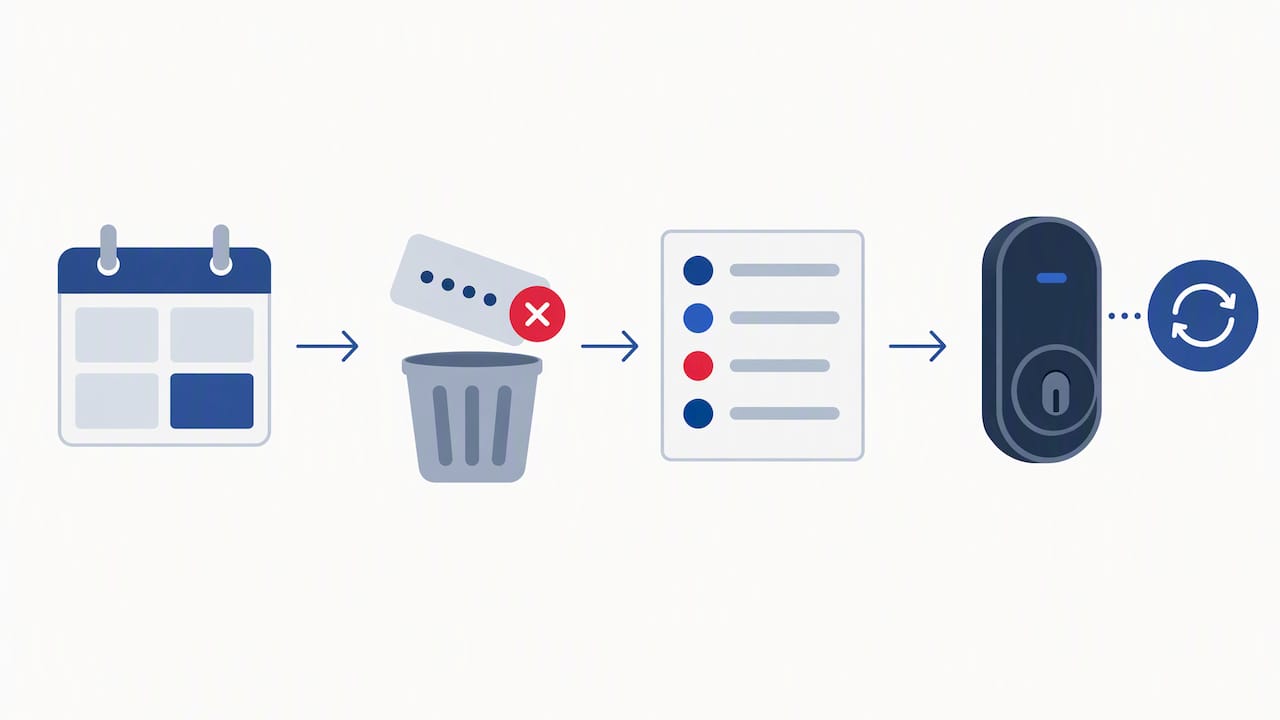
Pro Tip: Set a calendar reminder every quarter to delete unused codes, review the access log if your lock has one and check for a firmware update.
When does a keypad lock make more sense, and when does a smart lock?
Scenarios make the choice easier than feature lists do.
A keypad-only lock fits best when:
- Your budget for the project is tight and you want the best protection per dollar.
- You want as little network exposure as possible.
- A short, stable list of people needs access, such as your household and a trusted neighbor.
- You share the home casually with family or friends and do not need a record of every entry.
A smart lock fits best when:
- You host short-term guests or work with cleaners and contractors who need access on specific days.
- You want an activity log so you can see when the door was opened.
- You plan to link the lock to lighting, thermostats or other automations.
Hybrids also exist. Some retrofit smart modules keep a local PIN fallback, so you get app control without losing the offline option. And a lock is only one layer: pairing either type with monitored cameras gives you oversight that a lock cannot provide on its own. Our CCTV Integration work and our physical security layers guide show how those pieces fit together.
How do you choose the right lock?
Work through this checklist before you buy:
- Door compatibility: Confirm the bore size, backset and thickness fit the lock you are considering.
- Access methods: Decide whether you want PINs, app control, biometrics or a mix.
- Remote control: Decide whether you truly need it, or whether it is only nice to have.
- Power and fallback: Know the battery type, the warning behavior and where the mechanical key cylinder sits.
- Vendor security practices: Read how updates and authentication work.
- Certifications: Prefer UL 294, UL 2900-2-3 or a UL Verified IoT Security Rating where available.
- Total cost of ownership: Add hardware, subscriptions and replacement batteries.
- Installation complexity: Be honest about your tools and time, or budget for a pro.
Then put these questions to the vendor or the product page:
| Question to ask | Why it matters |
|---|---|
| How do you update firmware? | Shows whether fixes reach the lock without you doing anything |
| Is there mutual authentication? | Blocks forged commands between the app and the lock |
| What happens if your cloud goes offline? | Reveals whether the lock keeps working locally |
| Is there a local PIN fallback? | Protects against phone, app and network failures |
| Are there subscription fees? | Changes the real cost over several years |
How do you install, maintain and avoid lockouts?
A lock is only as good as its installation and upkeep. These steps prevent most of the problems we hear about:
- Follow the manufacturer’s alignment instructions, then test the bolt with the door open and closed. A bolt that binds drains batteries and eventually fails.
- Test the mechanical key before you rely on it, and replace batteries on schedule rather than waiting for the warning.
- Set up recovery codes and keep one trusted mechanical key off-site with someone you trust.
- Rotate local PINs and delete any you no longer need.
- Plan firmware updates and opt into security updates if offered.
- Check what happens if the vendor sunsets its cloud service. Confirm the lock still works locally before you depend on it.
What do security professionals prioritize in a lock choice?
In our experience, the door itself matters more than the lock’s feature list. A strong frame, a solid strike plate and a reliable mechanical fallback come first, because no firmware update fixes a door that kicks in. If you add a connected lock, segment your network next and pick vendors with audited, independently tested security. Install connected features only when you have a clear operational reason, such as remote guest access, and not because the box promises them. A plain keypad lock on a well-built door often beats an impressive smart lock on a weak one.
— Alston
Need help protecting more than the front door?
A lock decides who can open one door. It does not tell you who is walking the property, watching the gate or approaching at night. We build security plans around the whole picture, drawing on our team’s law enforcement and military backgrounds and pairing people with technology. Our Virtual Guard monitoring adds oversight to the entry points you already control, and our CCTV Integration service integrates cameras. For properties that need people on site, we offer roving vehicle patrols and guard services. Current prices are on our website. Tell us about your home and your doors, and we will help you plan the layers around them: contact us through our website.
FAQ
How do you use a smart lock?
You install the lock on your deadbolt, pair it with the manufacturer’s app and create a master account. From the app you add users, set schedules for temporary access and choose how the door unlocks. Keep the mechanical key or a PIN fallback in case your phone dies.
What are the disadvantages of digital door locks?
Digital locks depend on batteries and, in connected models, on firmware and cloud services. Researchers have documented vulnerabilities in smart locks, and keypad models can show wear patterns on frequently pressed keys. Cost also runs higher than a traditional deadbolt.
Are smart door locks worth it?
They are worth it when you need remote guest access, activity logs or automation. If you only need to enter your own home easily, a keypad lock gives much of the convenience with less exposure.
What is the best smart lock for security?
There is no single winner, but look for independent testing such as the UL Verified IoT Security Rating, UL 294 or UL 2900-2-3. Also check that the vendor ships regular firmware updates and offers a local PIN fallback.
Sources
- 7 Tips to Keep Your Smart Home Safer and More Private, From a NIST Cybersecurity Researcher | NIST
- No Key, No Problem: Vulnerabilities in Master Lock Smart Locks
- Fingerprint Theft Using Smart Padlocks:Droplock Exploits and Defenses