
Access control types fall into six practical categories: credential-based systems, biometric readers, mechanical or electromechanical locks, turnstiles and portals, vehicle barriers, and manned checkpoints. None of these is universally “best.” The right choice depends on a zone’s risk level, the consequences of unauthorized entry, and how many people need to move through it every day.
TL;DR:
- Credential revocation must be immediate, as lost cards or expired badges pose security risks if not deactivated within hours.
- Most high-security zones require multi-factor authentication, such as a card with a PIN or biometric, rather than relying on single credentials.
- Mechanical locks are suitable for low-traffic storage spaces but lack audit trails for tracking individual access.
- Effective vehicle barriers depend on site-specific assessments, including soil and traffic flow, beyond impact testing standards.
- Combining electronic access control with trained personnel creates a more reliable security approach, especially for decision points requiring judgment.
Table of Contents
- What Are the Main Access Control Types?
- How to Choose the Right Access Control: A Risk-Based Framework
- Getting the Operational Details Right After Installation
- Manned Guards vs. Electronic Controls: Why You Need Both
- Vehicle and Perimeter Access: What Procurement Should Specify
- Access Control for Events: A Layered Checklist
- How Experienced Security Providers Approach This
- Get a Site Assessment for Your Access Control Plan
- Standards Worth Bookmarking
- Sources
- FAQ
What Are the Main Access Control Types?
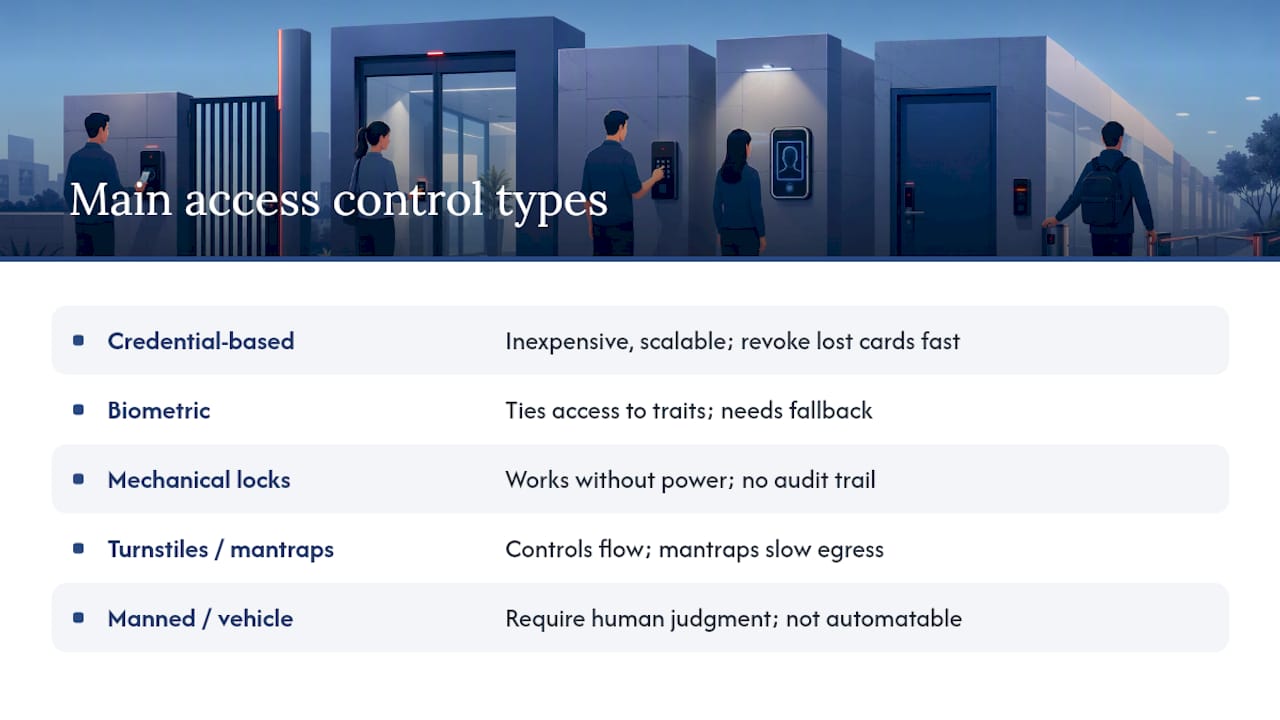
Each access control type solves a different problem, and most facilities end up running several at once. Understanding the trade-offs up front saves you from a costly retrofit later.
Credential-based systems are the backbone of most commercial buildings: proximity cards, contactless smart cards, mobile credentials on a smartphone, and PIN keypads. They’re inexpensive to deploy and easy to scale, but the security lives in the enrollment and revocation process, not the card itself. A lost card that isn’t deactivated within hours is an open door. Mobile credentials solve some of that risk since a phone can be remotely wiped, but they depend on network connectivity that a mechanical lock never needs.
Biometric systems (fingerprint, iris, and facial recognition) tie access to a physical trait instead of an object someone can lose or hand off. That strength comes with real limits. Enrollment quality matters enormously, cold or wet fingers can fail a scanner, and every biometric deployment needs a documented fallback method for when the reader misreads someone, along with clear rules about how biometric data is stored and who can access it.
Mechanical and electromechanical locks remain the most reliable option in a power outage since a physical key doesn’t care whether the network is up. Their weakness is the total absence of an audit trail. You can’t tell who used a master key at 2 a.m. That makes mechanical locks a fit for low-traffic storage rooms and utility closets, not for zones where you need to know exactly who came and went.
Turnstiles, portals, and mantraps control not just who enters but how many people can pass at once. Mantraps in particular only work at low-throughput entrances, since they process one person at a time and can create dangerous bottlenecks during emergency evacuation.
Manned checkpoints and vehicle barriers round out the list. Both are covered in depth further down, since each involves judgment calls that a card reader can’t make on its own.
How to Choose the Right Access Control: A Risk-Based Framework
The federal government’s own guidance for physical access control systems recommends selecting authentication mechanisms based on risk rather than picking one technology and applying it everywhere. NIST SP 800-116 frames this as matching authentication strength to the consequence of unauthorized entry and the threat level of the specific area, not choosing a single “best” credential type for the whole facility.
That means your server room, your loading dock, and your executive suite likely need three different answers. Work through this checklist before you specify any hardware:
- Map your zones by consequence. What happens if the wrong person gets into this space? A supply closet and a data center carry very different risk profiles even in the same building.
- Define authorized groups and schedules. Who should be in each zone, and when? Night-shift access rules differ from daytime rules.
- Set visitor rules before you need them. Document why you collect visitor ID, who approves access, and whether escorts are mandatory.
- Build enrollment and revocation into day one. A system is only as secure as how fast you can remove a departing employee’s credential.
- Decide your audit trail requirements. Some zones need a permanent log of every entry; others don’t.
- Plan egress and fail modes now, not after a fire inspection flags them.
- Check interoperability with your existing CCTV, alarm, and building management platforms.
For your highest-consequence areas, most security directors mandate multi-factor authentication, a card plus a PIN, or a card plus a biometric, and reserve single-factor credentials for low-risk common areas.
Pro Tip: Run your zone map past whoever handles fire and life-safety compliance before you finalize hardware. A lock that’s perfectly secure but violates egress code will get flagged during inspection, and retrofitting after installation costs more than getting it right the first time.
Getting the Operational Details Right After Installation
The single most common access control failure isn’t a bad piece of hardware. It’s a fail-secure lock installed on a fire exit, or a card reader nobody updated when someone left the company six months ago. Fail-safe doors unlock automatically during a power loss or fire alarm, protecting egress. Fail-secure doors stay locked, protecting the asset inside. Mixing these up on the wrong door is a life-safety hazard, and it needs to be specified door by door, not decided by default.
Beyond that core decision, a handful of administrative habits determine whether your system stays trustworthy over time:
- Enrollment quality control, since a rushed enrollment photo or fingerprint scan creates false rejections for months.
- A firm revocation timeline, ideally same-day, for departing employees and expired visitor badges.
- A regular audit review cadence so anomalies get caught in weeks, not discovered during an incident investigation.
- Segregation of duties for system administrators, so no single person can both grant access and erase the log of having done so.
- A maintenance schedule that accounts for outdoor readers exposed to weather and vendor service-level agreements that specify response time.
Modern electronic access control systems function as IT infrastructure, and CISA’s Interagency Security Committee guidance treats governance, enrollment, and audit trails as core requirements, not optional add-ons. Integration with CCTV and incident-response triggers should be part of the original specification, not a bolt-on after the system is live.
Manned Guards vs. Electronic Controls: Why You Need Both
Electronic systems are consistent and they never forget to log an entry. What they can’t do is exercise judgment. A card reader will happily let through anyone holding a valid credential, whether that person just had a heated argument in the parking lot or is escorting an unauthorized guest through a propped door.
That’s where personnel add something no reader can replicate. CISA’s best-practice guidance points to posted security personnel and screening stations as the right access-control option whenever a decision requires an escort, an appointment check, or a behavioral read on someone approaching the entrance.
The strongest facilities blend both:
- Reception staff paired with electronic readers for everyday employee traffic.
- Remote video monitoring backed by a local guard response for after-hours coverage.
- Guard-verified enrollment for high-security credentials, so a human confirms identity before a badge is ever issued.
Pro Tip: Train front-desk staff on escalation, not just greeting. The moment a reception hire knows exactly when to call for backup versus handle a situation themselves is the moment your hybrid model actually works.
Vehicle and Perimeter Access: What Procurement Should Specify
Vehicle-entry controls range from active drop-arm barriers and retractable bollards to passive measures like reinforced planters and hardened curbs. The mistake most buyers make is treating the impact rating as the whole story.
ISO 22343-1 specifies impact-performance testing for vehicle security barriers, indicating performance under controlled test conditions against given vehicle types. It does not determine suitability for specific sites, which require additional assessments of soil conditions, approach angles, and traffic flow. Procurement should include both these considerations.
Beyond the barrier itself, specify:
- Intercom or call-box integration at the point of entry for unscheduled visitors.
- Anti-tailgating design so a second vehicle can’t follow an authorized one through before the barrier resets.
- CCTV coverage of the approach lane, not just the barrier itself.
Access Control for Events: A Layered Checklist
Event access control fails most often at the credential-checking bottleneck, when everyone arrives in the same fifteen-minute window and one narrow lane tries to process all of them.
- Layer your perimeter. Separate general admission from staff and vendor gates entirely; don’t route them through the same checkpoint.
- Model your peak flow before the gates open. A mantrap or single-file scanner that works fine at 2 p.m. becomes a dangerous bottleneck at showtime, and every entrance needs an accessible lane that doesn’t depend on stairs or narrow turnstiles.
- Build a fast lost-credential process. Temporary badges need a short-term revocation path, and staff need training on tailgating, since someone following a badge holder through a held door defeats every credential check you just ran.
How Experienced Security Providers Approach This
A tailored access-control plan starts with a threat assessment, not a hardware catalog. The right mix of credentials, barriers, and personnel depends on what’s actually being protected. At Gsgicorp, that assessment work is handled by veteran-led teams who pair Virtual Guard remote monitoring with CCTV integration and on-site personnel, matching the control to the risk instead of defaulting to whatever’s easiest to install.
— Alston
Get a Site Assessment for Your Access Control Plan
Reading about credential systems and barrier ratings only gets you so far. Every facility has its own mix of high-risk and low-risk zones, and the fastest way to get the specification right is to have someone who does this professionally walk the site with you.

The advantage of some security providers isn’t a single product; it’s a team of law enforcement and military veterans who design your access-control plan around your actual threat profile instead of a one-size-fits-all package. That’s the practical difference between hiring a security firm and simply buying hardware off a shelf. Whether you need a formal threat assessment, CCTV designed to work with your entry points through CCTV integration, or trained personnel to staff your checkpoints day to day, the plan gets built around your building, not a generic template. Contact Gsgicorp to schedule a site assessment and get a custom access-control plan scoped for your facility’s actual risk level.
Standards Worth Bookmarking
For specification and procurement reference, consult NIST SP 800-116, the DHS Access Control Technologies Handbook, and IEC 60839-11-1 for component performance requirements.
Sources
- SP 800-116, A Recommendation for the Use of PIV Credentials in Physical Access Control Systems (PACS)
- Facility Access Control – An ISC Best Practice
- Access Control Technologies Handbook
- NPSA guidance note referencing ISO 22343-1
FAQ
What Are the Main Types of Access Control for Buildings?
The main physical access control types are credential-based systems (cards, mobile credentials, PINs), biometric readers, mechanical locks, turnstiles or portals, vehicle barriers, and manned checkpoints. Most facilities combine several types across different zones based on risk.
Should High-Security Areas Always Use Biometrics?
Not necessarily. Biometrics add strong identity verification, but NIST SP 800-116 recommends multi-factor authentication, often a card plus a PIN or biometric, for high-consequence zones rather than relying on any single method alone.
What’s the Difference Between Fail-Safe and Fail-Secure Locks?
Fail-safe locks unlock automatically during a power outage or fire alarm to protect egress, while fail-secure locks stay locked to protect the asset inside. The choice must be made door by door based on fire and life-safety code, never as a blanket default.
Can Gsgicorp Help Design an Access Control System?
Gsgicorp performs threat assessments and combines Virtual Guard remote monitoring, CCTV integration, and trained personnel to build a plan matched to a facility’s specific risk level. Current pricing for these services is available by contacting Gsgicorp directly.
Do Vehicle Barriers Need Special Certification?
Vehicle security barriers should be tested against ISO 22343-1 for impact performance, but that rating alone isn’t enough. Procurement should also require a site-specific assessment covering soil conditions, approach speed, and vehicle type.